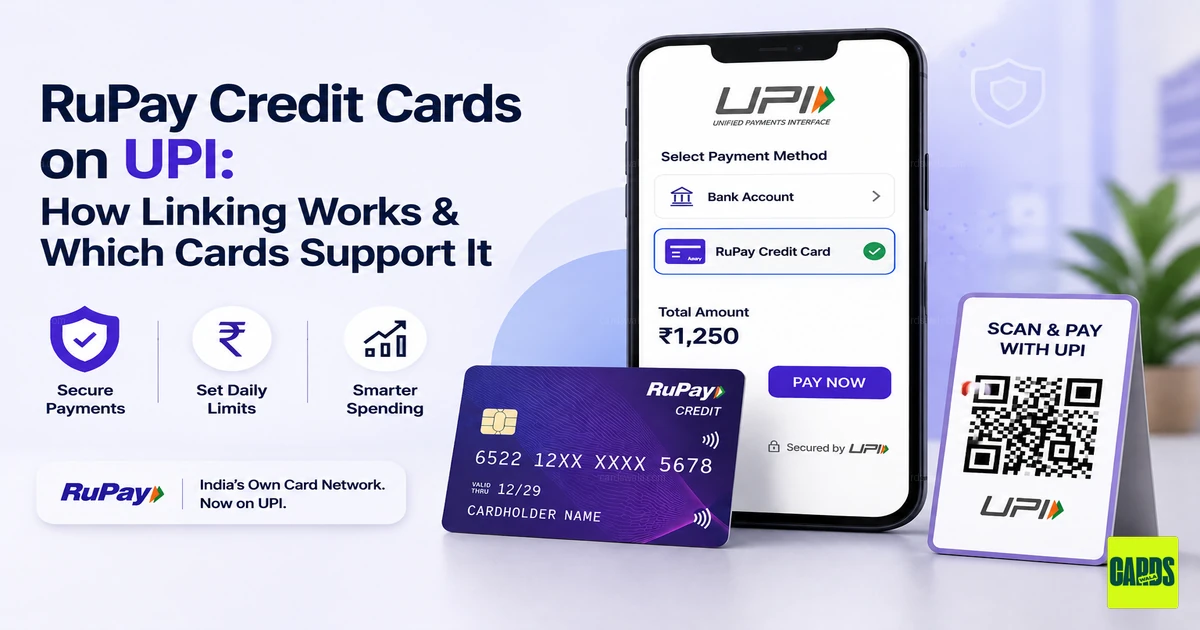
RuPay ಕ್ರೆಡಿಟ್ ಕಾರ್ಡ್ಗಳು UPI ನಲ್ಲಿ: ಲಿಂಕ್ ಮಾಡುವುದು ಹೇಗೆ ಮತ್ತು ಯಾವ ಕಾರ್ಡ್ಗಳು ಬೆಂಬಲಿಸುತ್ತವೆ
ನೀವು ಎಂದಾದರೂ ಅಂಗಡಿಯಲ್ಲಿ QR ಕೋಡ್ ಸ್ಕ್ಯಾನ್ ಮಾಡಿ, ನಿಮ್ಮ Visa ಅಥವಾ Mastercard ಏಕೆ ಪಾವತಿ ಆಯ್ಕೆಯಾಗಿ ಕಾಣಿಸಲಿಲ್ಲ ಎಂದು ಯೋಚಿಸಿದ್ದೀರಾ, ನೀವು ಒಬ್ಬರೇ ಅಲ್ಲ. ಸದ್ಯ, RuPay ಭಾರತದಲ್ಲಿ ಕ್ರೆಡಿಟ್ ಕಾರ್ಡ್ಗಳನ್ನು ನೇರವಾಗಿ UPI ಗೆ ಲಿಂಕ್ ಮಾಡಬಹುದಾದ ಏಕೈಕ ಕಾರ್ಡ್ ನೆಟ್ವರ್ಕ್ ಆಗಿದೆ. ಒಮ್ಮೆ ಲಿಂಕ್ ಮಾಡಿದ ನಂತರ, ನಿಮ್ಮ ಕಾರ್ಡ್ POS ಮೆಷಿನ್ನಲ್ಲಿ ಟ್ಯಾಪ್ ಮಾಡುವ ಪ್ಲಾಸ್ಟಿಕ್ ತುಂಡಾಗಿ ಮಾತ್ರ ಉಳಿಯುವುದಿಲ್ಲ: ಅದು ಸ್ಕ್ಯಾನ್-ಅಂಡ್-ಪೇ ಮಾಡಬಹುದಾದ ಫಂಡಿಂಗ್ ಸೋರ್ಸ್ ಆಗಿ ಬದಲಾಗುತ್ತದೆ, ಬ್ಯಾಂಕ್ ಖಾತೆಯಂತೆ, ಪ್ರತಿ ರೂಪಾಯಿಯೂ ಇನ್ನೂ ನಿಮ್ಮ ಕ್ರೆಡಿಟ್ ಕಾರ್ಡ್ ಸ್ಟೇಟ್ಮೆಂಟ್ನಲ್ಲಿ ಬಿಲ್ ಆಗುತ್ತದೆ.
ಈ ಮಾರ್ಗದರ್ಶಿ ಆ ಲಿಂಕಿಂಗ್ ಹೇಗೆ ಕಾರ್ಯನಿರ್ವಹಿಸುತ್ತದೆ, ಪ್ರಸ್ತುತ ಯಾವ ಕಾರ್ಡ್ಗಳು ಅದನ್ನು ಬೆಂಬಲಿಸುತ್ತವೆ ಮತ್ತು ಆಯ್ಕೆ ಮಾಡುವಾಗ ನಿಜವಾಗಿಯೂ ಏನು ಮುಖ್ಯ ಎಂಬುದನ್ನು ವಿವರಿಸುತ್ತದೆ.
RuPay-on-UPI ನಿಜವಾಗಿಯೂ ಹೇಗೆ ಕೆಲಸ ಮಾಡುತ್ತದೆ
RuPay ಕ್ರೆಡಿಟ್ ಕಾರ್ಡ್ ಅನ್ನು UPI ಅಪ್ಲಿಕೇಶನ್ಗೆ ಲಿಂಕ್ ಮಾಡಿದಾಗ, ಅಪ್ಲಿಕೇಶನ್ ನಿಮ್ಮ ಕ್ರೆಡಿಟ್ ಲಿಮಿಟ್ ಅನ್ನು ಒಂದು "ವರ್ಚುವಲ್" ಫಂಡಿಂಗ್ ಖಾತೆಯಾಗಿ ಪರಿಗಣಿಸುತ್ತದೆ. ನೀವು ಅದೇ ಮರ್ಚೆಂಟ್ QR ಕೋಡ್ಗಳನ್ನು ಸ್ಕ್ಯಾನ್ ಮಾಡಿ ಅದೇ UPI ಅಪ್ಲಿಕೇಶನ್ಗಳನ್ನು ಬಳಸುತ್ತೀರಿ; ವ್ಯತ್ಯಾಸವು ಯಾವ ಖಾತೆ ಡೆಬಿಟ್ ಆಗುತ್ತದೆ ಎಂಬುದರಲ್ಲಿ ಮಾತ್ರ. ಉಳಿತಾಯ ಖಾತೆಯಿಂದ ಹಣ ತಕ್ಷಣ ಹೊರಹೋಗುವ ಬದಲು, ವಹಿವಾಟು ನಿಮ್ಮ ಕ್ರೆಡಿಟ್ ಕಾರ್ಡ್ನ ಬಾಕಿ ಮೊತ್ತಕ್ಕೆ ಸೇರಿಸಲ್ಪಟ್ಟು, ಬಿಲ್ಲಿಂಗ್ ಚಕ್ರದ ಕೊನೆಯಲ್ಲಿ ಪಾವತಿಸಬೇಕಾಗುತ್ತದೆ.
ಪ್ರಕ್ರಿಯೆಯು ಪ್ರಾರಂಭದಿಂದ ಅಂತ್ಯದವರೆಗೆ ಹೀಗೆ ಕಾಣುತ್ತದೆ:
- ಕ್ರೆಡಿಟ್ ಕಾರ್ಡ್ಗಳನ್ನು ಬೆಂಬಲಿಸುವ UPI ಅಪ್ಲಿಕೇಶನ್ ತೆರೆಯಿರಿ. Google Pay, PhonePe, Paytm, BHIM ಮತ್ತು Freo ನಂತಹ UPI-ಫಸ್ಟ್ ಅಪ್ಲಿಕೇಶನ್ಗಳು ಸೇರಿದಂತೆ ಹೆಚ್ಚಿನ ಪ್ರಮುಖ ಅಪ್ಲಿಕೇಶನ್ಗಳು ಇದನ್ನು ಬೆಂಬಲಿಸುತ್ತವೆ.
- "Add Payment Method" ಅಥವಾ "Add Credit Card" ಗೆ ಹೋಗಿ. ಇದು ಸಾಮಾನ್ಯವಾಗಿ ನಿಮ್ಮ ಪ್ರೊಫೈಲ್ ಅಥವಾ ಪಾವತಿ ಸೆಟ್ಟಿಂಗ್ಗಳಲ್ಲಿ ಇರುತ್ತದೆ.
- ನಿಮ್ಮ ಬ್ಯಾಂಕ್ ಮತ್ತು ಕಾರ್ಡ್ ಆಯ್ಕೆಮಾಡಿ. ನೀಡುವ ಬ್ಯಾಂಕ್ ಅನ್ನು ಆಯ್ಕೆಮಾಡಿ ಮತ್ತು ಅದು ನಿಮ್ಮ ಮೊಬೈಲ್ ಸಂಖ್ಯೆಗೆ ನೋಂದಾಯಿಸಲಾದ RuPay ಕಾರ್ಡ್ ಎಂದು ದೃಢೀಕರಿಸಿ. Visa ಮತ್ತು Mastercard ಕಾರ್ಡ್ಗಳು ಇಲ್ಲಿ ಆಯ್ಕೆಯಾಗಿ ಕಾಣಿಸುವುದಿಲ್ಲ, ಏಕೆಂದರೆ NPCI ಇನ್ನೂ ಅವುಗಳಿಗೆ UPI ಲಿಂಕಿಂಗ್ ಅನ್ನು ವಿಸ್ತರಿಸಿಲ್ಲ.
- ಕಾರ್ಡ್ ಅನ್ನು ವೆರಿಫೈ ಮಾಡಿ. ಕೊನೆಯ ಆರು ಅಂಕೆಗಳು ಮತ್ತು ಮುಕ್ತಾಯ ದಿನಾಂಕವನ್ನು ನಮೂದಿಸಿ, ನಂತರ ನೋಂದಾಯಿತ ಸಂಖ್ಯೆಗೆ ಕಳುಹಿಸಲಾದ OTP ಯೊಂದಿಗೆ ದೃಢೀಕರಿಸಿ.
- ಕಾರ್ಡ್ಗಾಗಿ UPI PIN ಸೆಟ್ ಮಾಡಿ. ಇದು ನಿಮ್ಮ ಕಾರ್ಡ್ನ ATM PIN ನಿಂದ ಮತ್ತು ನಿಮ್ಮ ಬ್ಯಾಂಕ್ ಖಾತೆಗೆ ಬಳಸುವ ಯಾವುದೇ UPI PIN ನಿಂದ ಭಿನ್ನವಾದ 6-ಅಂಕಿಯ PIN ಆಗಿದೆ. ಪ್ರತಿ ಬಾರಿ ಪಾವತಿಯನ್ನು ದೃಢೀಕರಿಸುವಾಗ ನೀವು ಇದನ್ನು ನಮೂದಿಸುತ್ತೀರಿ.
ಮುಗಿದ ನಂತರ, ಕಾರ್ಡ್ UPI ಅಪ್ಲಿಕೇಶನ್ ಒಳಗೆ ನಿಮ್ಮ ಬ್ಯಾಂಕ್ ಖಾತೆಗಳೊಂದಿಗೆ ಕುಳಿತುಕೊಳ್ಳುತ್ತದೆ, ಮತ್ತು QR ಕೋಡ್ ಸ್ಕ್ಯಾನ್ ಮಾಡುವ ಮೊದಲು ಅಥವಾ ಮರ್ಚೆಂಟ್ಗೆ ಪಾವತಿಸುವ ಮೊದಲು ನೀವು ಅದನ್ನು ಆಯ್ಕೆ ಮಾಡಬಹುದು.
ನೀವು ತಿಳಿದುಕೊಳ್ಳಬೇಕಾದ ವಹಿವಾಟು ಮಿತಿಗಳು
- ಲಿಂಕ್ ಮಾಡಿದ ಮೊದಲ 24 ಗಂಟೆಗಳು: ವಂಚನೆ ತಡೆಗಟ್ಟುವ ಕ್ರಮವಾಗಿ ದಿನಕ್ಕೆ ಸುಮಾರು ₹5,000 ಕ್ಯಾಪ್. ಇದು ಒಂದು ದಿನದ ನಂತರ ನಿಮ್ಮ ಸಾಮಾನ್ಯ ಮಿತಿಗೆ ರೀಸೆಟ್ ಆಗುತ್ತದೆ. (Source)
- ಸ್ಟ್ಯಾಂಡರ್ಡ್ ಪ್ರತಿ-ವಹಿವಾಟು ಮಿತಿ: ಹೆಚ್ಚಿನ ಮರ್ಚೆಂಟ್ ವರ್ಗಗಳಿಗೆ ₹1 ಲಕ್ಷದವರೆಗೆ, ಆದರೂ ನಿಮ್ಮ ಬ್ಯಾಂಕ್ ಮತ್ತು ಲಭ್ಯವಿರುವ ಕ್ರೆಡಿಟ್ ಲಿಮಿಟ್ ಇದನ್ನು ಕಡಿಮೆ ಮಾಡಬಹುದು. (Source)
- ಹೆಚ್ಚಿನ-ಮಿತಿ ವರ್ಗಗಳು: ಶಿಕ್ಷಣ, ಆರೋಗ್ಯ, IPO ಮತ್ತು ತೆರಿಗೆ ಪಾವತಿಗಳಂತಹ ಕೆಲವು ವರ್ಗಗಳು ಬ್ಯಾಂಕ್ ಅನುಮೋದನೆಗೆ ಒಳಪಟ್ಟು ₹5 ಲಕ್ಷದವರೆಗೆ ಹೋಗಬಹುದು. (Source)
- ನಿಮ್ಮ ಕ್ರೆಡಿಟ್ ಲಿಮಿಟ್ ನಿಜವಾದ ಸೀಲಿಂಗ್ ಆಗಿದೆ. NPCI ₹1 ಲಕ್ಷ ವಹಿವಾಟನ್ನು ಅನುಮತಿಸಿದರೂ, ನಿಮ್ಮ ಕಾರ್ಡ್ನಲ್ಲಿ ಲಭ್ಯವಿರುವ ಲಿಮಿಟ್ಗಿಂತ ಹೆಚ್ಚು ಖರ್ಚು ಮಾಡಲು ಸಾಧ್ಯವಿಲ್ಲ. (Source)
UPI ಯೊಂದಿಗೆ ಕೆಲಸ ಮಾಡುವ ಜನಪ್ರಿಯ RuPay ಕ್ರೆಡಿಟ್ ಕಾರ್ಡ್ಗಳು
ಬಹುತೇಕ ಪ್ರತಿ ಪ್ರಮುಖ ಭಾರತೀಯ ಬ್ಯಾಂಕ್ ಈಗ ಕನಿಷ್ಠ ಒಂದು RuPay ವೇರಿಯಂಟ್ ಅನ್ನು ನೀಡುತ್ತದೆ, ಅದು UPI-ರೆಡಿ. ತಿಳಿದುಕೊಳ್ಳಬೇಕಾದ ಕೆಲವು:
- HDFC Bank – Tata Neu Infinity/Plus RuPay Credit Cards, HDFC MoneyBack+ RuPay Credit Card
- SBI Card – SBI Card PULSE, BPCL SBI RuPay Credit Card
- ICICI Bank – Coral, Rubyx, ಮತ್ತು Sapphiro RuPay ವೇರಿಯಂಟ್ಗಳು
- Axis Bank – IndianOil Axis Bank RuPay Credit Card
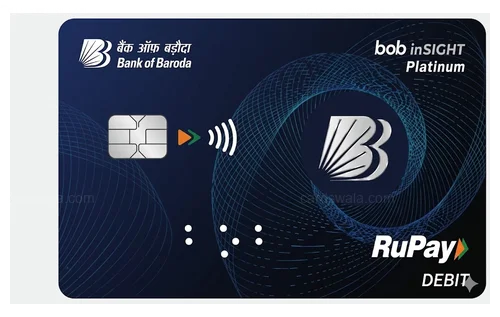
- Bank of Baroda – BOBCARD Eterna ಮತ್ತು Premier RuPay Credit Cards
- Kotak Mahindra Bank – Kotak League RuPay Credit Card
- IDFC FIRST Bank – ₹3,000 ಕ್ಕಿಂತ ಹೆಚ್ಚಿನ ವಹಿವಾಟುಗಳ ಮೇಲೆ 3X reward points ನೀಡುವ RuPay ಕ್ರೆಡಿಟ್ ಕಾರ್ಡ್ಗಳು
UPI ಗಾಗಿ RuPay ಕಾರ್ಡ್ ಆಯ್ಕೆಮಾಡುವಾಗ ಏನು ನೋಡಬೇಕು
ಪ್ರತಿ RuPay ಕಾರ್ಡ್ UPI ಖರ್ಚುಗಳನ್ನು ಒಂದೇ ರೀತಿ ಪರಿಗಣಿಸುವುದಿಲ್ಲ, ಆದ್ದರಿಂದ ಅರ್ಜಿ ಸಲ್ಲಿಸುವ ಮೊದಲು ಕೆಲವು ವಿಷಯಗಳನ್ನು ಪರಿಶೀಲಿಸುವುದು ಯೋಗ್ಯವಾಗಿದೆ:
- UPI ಖರ್ಚುಗಳು ನಿಜವಾಗಿಯೂ ರಿವಾರ್ಡ್ಗಳನ್ನು ಗಳಿಸುತ್ತದೆಯೇ. ಕೆಲವು ಕಾರ್ಡ್ಗಳು UPI ವಹಿವಾಟುಗಳನ್ನು ತಮ್ಮ ರಿವಾರ್ಡ್ ಪ್ರೋಗ್ರಾಂನಿಂದ ಸಂಪೂರ್ಣವಾಗಿ ಹೊರಗಿಡುತ್ತವೆ, ಅಥವಾ ಸಣ್ಣ-ಟಿಕೆಟ್ UPI ಪಾವತಿಗಳ ಮೇಲೆ ರಿವಾರ್ಡ್ಗಳನ್ನು ಕ್ಯಾಪ್ ಮಾಡುತ್ತವೆ. ದೈನಂದಿನ ದಿನಸಿ ಸ್ಕ್ಯಾನ್ ಪಾಯಿಂಟ್ಗಳನ್ನು ಗಳಿಸುತ್ತದೆ ಎಂದು ಭಾವಿಸುವ ಮೊದಲು ಫೈನ್ ಪ್ರಿಂಟ್ ಓದಿ.
- ಇಂಧನ ಮತ್ತು ಯುಟಿಲಿಟಿ ಪರ್ಕ್ಸ್. ಕೋ-ಬ್ರಾಂಡೆಡ್ ಕಾರ್ಡ್ಗಳು (IndianOil Axis ಅಥವಾ Tata Neu ನಂತಹ) ಹೆಚ್ಚಾಗಿ ಇಂಧನ, ಯುಟಿಲಿಟಿ ಬಿಲ್ಗಳು ಅಥವಾ ಬ್ರಾಂಡ್-ನಿರ್ದಿಷ್ಟ ಖರ್ಚುಗಳ ಮೇಲೆ ವೇಗವರ್ಧಿತ ಕ್ಯಾಶ್ಬ್ಯಾಕ್ ನೀಡುತ್ತವೆ, ನಿಮ್ಮ ಹಣದಲ್ಲಿ ಹೆಚ್ಚಿನ ಭಾಗ ಅಲ್ಲಿಗೆ ಹೋಗುತ್ತಿದ್ದರೆ ಉಪಯುಕ್ತವಾಗಿದೆ.
- ಜಾಯಿನಿಂಗ್ ಮತ್ತು ರಿನ್ಯೂವಲ್ ಫೀ vs ವೆಲ್ಕಮ್ ಬೆನಿಫಿಟ್ಸ್. ವೆಲ್ಕಮ್ ವೋಚರ್ಗಳು, ಮೈಲ್ಸ್ಟೋನ್ ರಿವಾರ್ಡ್ಗಳು ಮತ್ತು ಫೀ-ವೇವರ್ ಥ್ರೆಶೋಲ್ಡ್ಗಳಿಗೆ ವಿರುದ್ಧವಾಗಿ ವಾರ್ಷಿಕ ಫೀಯನ್ನು ಹೋಲಿಸಿ. ದುರ್ಬಲ ರಿವಾರ್ಡ್ಗಳೊಂದಿಗೆ "ಫ್ರೀ" ಕಾರ್ಡ್ ಅಗತ್ಯವಾಗಿ ಅಗ್ಗವಾಗಿರುವುದಿಲ್ಲ.
- UPI-ನೇಟಿವ್ ರಿವಾರ್ಡ್ ರಚನೆ. ನಿಮ್ಮ ಖರ್ಚಿನಲ್ಲಿ ಹೆಚ್ಚಿನ ಭಾಗ ಈಗಾಗಲೇ ಕಾರ್ಡ್ ಸ್ವೈಪ್ಗಿಂತ UPI ಮೂಲಕ ನಡೆಯುತ್ತಿದ್ದರೆ, UPI ಅನ್ನು ನಂತರದ ಆಲೋಚನೆಯಾಗಿ ಪರಿಗಣಿಸುವ ಸಾಂಪ್ರದಾಯಿಕ ಕಾರ್ಡ್ಗಿಂತ, Freo ನ RuPay ಕಾರ್ಡ್ನಂತಹ UPI ಗಾಗಿ ವಿನ್ಯಾಸಗೊಳಿಸಲಾದ ಕಾರ್ಡ್ ಹೆಚ್ಚು ಅರ್ಥಪೂರ್ಣವಾಗಿರಬಹುದು.
ನೆನಪಿನಲ್ಲಿಡಬೇಕಾದ ಪ್ರಮುಖ ವಿಷಯಗಳು
- ಮರ್ಚೆಂಟ್ ಪಾವತಿಗಳು ಮಾತ್ರ. RuPay-on-UPI ಅನ್ನು person-to-merchant (P2M) ಪಾವತಿಗಳಿಗಾಗಿ ನಿರ್ಮಿಸಲಾಗಿದೆ: QR ಕೋಡ್ಗಳನ್ನು ಸ್ಕ್ಯಾನ್ ಮಾಡುವುದು ಮತ್ತು ನೋಂದಾಯಿತ ಮರ್ಚೆಂಟ್ UPI ID ಗಳಿಗೆ ಪಾವತಿಸುವುದು. UPI ನಲ್ಲಿ ಕ್ರೆಡಿಟ್ ಕಾರ್ಡ್ ಬಳಸಿ ಸ್ನೇಹಿತರು ಅಥವಾ ಕುಟುಂಬಕ್ಕೆ ಹಣ ಕಳುಹಿಸಲು ಸಾಧ್ಯವಿಲ್ಲ (P2P). (Source)
- ₹2,000 ಕ್ಕಿಂತ ಕಡಿಮೆ Zero MDR. NPCI ₹2,000 ಕ್ಕಿಂತ ಕಡಿಮೆ UPI ಕ್ರೆಡಿಟ್ ಕಾರ್ಡ್ ವಹಿವಾಟುಗಳಿಗೆ Merchant Discount Rate ಇಲ್ಲ ಎಂದು ಕಡ್ಡಾಯಗೊಳಿಸಿದೆ, ಇದು ಸಣ್ಣ ಮರ್ಚೆಂಟ್ಗಳು RuPay ಕ್ರೆಡಿಟ್ ಕಾರ್ಡ್ ಸ್ಕ್ಯಾನ್ಗಳನ್ನು ಸುಲಭವಾಗಿ ಸ್ವೀಕರಿಸಲು ದೊಡ್ಡ ಕಾರಣವಾಗಿದೆ. (Source)
- ಬಡ್ಡಿ-ರಹಿತ ಅವಧಿ ಇನ್ನೂ ಅನ್ವಯಿಸುತ್ತದೆ. ಇವು ಇನ್ನೂ ಕ್ರೆಡಿಟ್ ಕಾರ್ಡ್ ವಹಿವಾಟುಗಳಾಗಿರುವುದರಿಂದ, ಅವು ನಿಮ್ಮ ಸಾಮಾನ್ಯ ಬಿಲ್ಲಿಂಗ್ ಚಕ್ರ ಮತ್ತು ಬಡ್ಡಿ-ರಹಿತ ಅವಧಿಯೊಳಗೆ ಬರುತ್ತವೆ. ಬಿಲ್ ಅನ್ನು ಸಮಯಕ್ಕೆ ಸರಿಯಾಗಿ ಪಾವತಿಸಿದರೆ ಯಾವುದೇ ಬಡ್ಡಿ ಇಲ್ಲ, ಯಾವುದೇ ಇತರ ಕಾರ್ಡ್ ಖರೀದಿಯಂತೆ. (Source)
- ಪ್ರತಿ UPI ಅಪ್ಲಿಕೇಶನ್ ಪ್ರತಿ ಬ್ಯಾಂಕ್ ಅನ್ನು ಬೆಂಬಲಿಸುವುದಿಲ್ಲ. ಕವರೇಜ್ ವೇಗವಾಗಿ ವಿಸ್ತರಿಸಿದೆ, ಆದರೆ ಅದು ಕೆಲಸ ಮಾಡುತ್ತದೆ ಎಂದು ಭಾವಿಸುವ ಮೊದಲು ನಿಮ್ಮ ನಿರ್ದಿಷ್ಟ ಬ್ಯಾಂಕ್-ಅಪ್ಲಿಕೇಶನ್ ಸಂಯೋಜನೆ ಲೈವ್ ಆಗಿದೆಯೇ ಎಂದು ಪರಿಶೀಲಿಸುವುದು ಯೋಗ್ಯವಾಗಿದೆ. (Source)
RuPay ಕ್ರೆಡಿಟ್ ಕಾರ್ಡ್ ಲಿಂಕಿಂಗ್ ಅನ್ನು ಬೆಂಬಲಿಸುವ UPI ಅಪ್ಲಿಕೇಶನ್ಗಳು
ಪ್ರಸ್ತುತ Visa ಮತ್ತು Mastercard ಕ್ರೆಡಿಟ್ ಕಾರ್ಡ್ಗಳು ನೇರ UPI ಮರ್ಚೆಂಟ್ ಪಾವತಿಗಳಿಗೆ ಬೆಂಬಲಿತವಾಗಿಲ್ಲ; RuPay ಕಾರ್ಡ್ಗಳು ಮಾತ್ರ ಇಲ್ಲಿ ಕೆಲಸ ಮಾಡುತ್ತವೆ. RuPay ಕ್ರೆಡಿಟ್ ಕಾರ್ಡ್ ಅನ್ನು ಲಿಂಕ್ ಮಾಡಲು ಅನುಮತಿಸುವ ಅಪ್ಲಿಕೇಶನ್ಗಳಲ್ಲಿ ಸೇರಿವೆ:
- Freo: ಕ್ರೆಡಿಟ್ ಸುತ್ತಲೂ ನಿರ್ಮಿಸಲಾದ UPI-ಫಸ್ಟ್ ಅಪ್ಲಿಕೇಶನ್, UPI ಮೂಲಕ ಪಾವತಿಸಲು, ವಹಿವಾಟುಗಳ ಮೇಲೆ ಕ್ಯಾಶ್ಬ್ಯಾಕ್ ಗಳಿಸಲು ಮತ್ತು ಕ್ರೆಡಿಟ್ ಲೈನ್ ಅನ್ಲಾಕ್ ಮಾಡಲು ಅನುಮತಿಸುತ್ತದೆ, ಎಲ್ಲವೂ ನಿಮ್ಮ RuPay ಕಾರ್ಡ್ಗೆ ಲಿಂಕ್ ಆಗಿದೆ
- Google Pay: "Payment methods" ವಿಭಾಗದಿಂದ ನಿಮ್ಮ RuPay ಕ್ರೆಡಿಟ್ ಕಾರ್ಡ್ ಅನ್ನು ಸೇರಿಸಿ ಮತ್ತು ಯಾವುದೇ ಮರ್ಚೆಂಟ್ QR ಕೋಡ್ನಲ್ಲಿ ಸ್ಕ್ಯಾನ್-ಅಂಡ್-ಪೇ ಪ್ರಾರಂಭಿಸಲು UPI PIN ಸೆಟ್ ಮಾಡಿ
- PhonePe: "Manage Payments → RuPay on UPI" ಅಡಿಯಲ್ಲಿ RuPay ಕಾರ್ಡ್ ಅನ್ನು ಲಿಂಕ್ ಮಾಡಿ, ಬ್ಯಾಂಕ್ ಖಾತೆಯನ್ನು ಮುಟ್ಟದೆ ಕ್ರೆಡಿಟ್ನಲ್ಲಿ ಖರ್ಚು ಮಾಡಿ
- Paytm: "UPI & Payment Settings" ಮೂಲಕ ಲಿಂಕಿಂಗ್ ಅನ್ನು ಬೆಂಬಲಿಸುತ್ತದೆ, ಆದ್ದರಿಂದ ಯಾವುದೇ UPI ಮರ್ಚೆಂಟ್ಗೆ ಪಾವತಿಸಿ ಮತ್ತು ಮೊತ್ತವನ್ನು ನಂತರ ನಿಮ್ಮ ಕಾರ್ಡ್ ಸ್ಟೇಟ್ಮೆಂಟ್ನಲ್ಲಿ ಸೆಟಲ್ ಮಾಡಿ
- BHIM: NPCI ನ ಸ್ವಂತ ಅಪ್ಲಿಕೇಶನ್, ಮತ್ತು RuPay-on-UPI ಗಾಗಿ ಮೂಲ ಲಾಂಚ್ ಪ್ಲಾಟ್ಫಾರ್ಮ್, ಬ್ಯಾಂಕ್ ಖಾತೆಯನ್ನು ಸೇರಿಸುವಂತೆ ಕ್ರೆಡಿಟ್ ಕಾರ್ಡ್ ಅನ್ನು ಸೇರಿಸಲು ಅನುಮತಿಸುತ್ತದೆ
- Kiwi: ವರ್ಚುವಲ್ RuPay ಕ್ರೆಡಿಟ್ ಕಾರ್ಡ್ ಸುತ್ತಲೂ ನಿರ್ಮಿಸಲಾದ UPI-ಫಸ್ಟ್ ಅಪ್ಲಿಕೇಶನ್, ದೈನಂದಿನ ವಹಿವಾಟುಗಳ ಮೇಲೆ ಕ್ಯಾಶ್ಬ್ಯಾಕ್ನೊಂದಿಗೆ ಸ್ಕ್ಯಾನ್-ಅಂಡ್-ಪೇ ಖರ್ಚಿಗಾಗಿ ವಿನ್ಯಾಸಗೊಳಿಸಲಾಗಿದೆ
- MobiKwik: ಕ್ರೆಡಿಟ್ ಕಾರ್ಡ್ಗಳನ್ನು UPI ನಲ್ಲಿ ಬೆಂಬಲಿಸಿದ ಆರಂಭಿಕ ಅಪ್ಲಿಕೇಶನ್ಗಳಲ್ಲಿ ಒಂದು, "UPI Transfers → Manage → Add Credit Card" ಮೂಲಕ RuPay ಕಾರ್ಡ್ ಅನ್ನು ಲಿಂಕ್ ಮಾಡಲು ಅನುಮತಿಸುತ್ತದೆ
- PayZapp: HDFC ಬ್ಯಾಂಕ್ನ ಸ್ವಂತ UPI ಅಪ್ಲಿಕೇಶನ್, HDFC RuPay ಕ್ರೆಡಿಟ್ ಕಾರ್ಡ್ಗಳನ್ನು ಲಿಂಕ್ ಮಾಡಲು ಮತ್ತು ಸ್ಕ್ಯಾನ್-ಅಂಡ್-ಪೇ ಖರ್ಚುಗಳ ಮೇಲೆ CashPoints ಗಳಿಸಲು ವಿನ್ಯಾಸಗೊಳಿಸಲಾಗಿದೆ
- Amazon Pay: RuPay ಕ್ರೆಡಿಟ್ ಕಾರ್ಡ್ ಅನ್ನು Amazon Pay UPI ಗೆ ಲಿಂಕ್ ಮಾಡಿ ಶಾಪಿಂಗ್, ಬಿಲ್ ಪಾವತಿಗಳು ಮತ್ತು ರೀಚಾರ್ಜ್ಗಳಿಗಾಗಿ, ಜೊತೆಗೆ ಸಾಮಾನ್ಯ ಮರ್ಚೆಂಟ್ QR ಪಾವತಿಗಳಿಗಾಗಿ ಬಳಸಲು ಅನುಮತಿಸುತ್ತದೆ
- Freecharge: ರೀಚಾರ್ಜ್, ಬಿಲ್ ಪಾವತಿ ಮತ್ತು FASTag ಸೇವೆಗಳೊಂದಿಗೆ UPI ಪಾವತಿಗಳಿಗಾಗಿ RuPay ಕ್ರೆಡಿಟ್ ಕಾರ್ಡ್ ಲಿಂಕಿಂಗ್ ಅನ್ನು ಬೆಂಬಲಿಸುತ್ತದೆ
- CRED: ಪ್ರಮುಖ ಬ್ಯಾಂಕ್ಗಳ ಅರ್ಹ RuPay ಕ್ರೆಡಿಟ್ ಕಾರ್ಡ್ನಲ್ಲಿ UPI ಅನ್ನು ಆಕ್ಟಿವೇಟ್ ಮಾಡಲು ಮತ್ತು CRED ರಿವಾರ್ಡ್ಗಳನ್ನು ಗಳಿಸುತ್ತಲೇ ಯಾವುದೇ ಮರ್ಚೆಂಟ್ QR ಕೋಡ್ಗೆ ಪಾವತಿಸಲು ಅನುಮತಿಸುತ್ತದೆ
ಈ ಅಪ್ಲಿಕೇಶನ್ಗಳಲ್ಲಿ ಹೆಚ್ಚಿನವು ಮೇಲೆ ವಿವರಿಸಿದ ಅದೇ ಲಿಂಕಿಂಗ್ ಫ್ಲೋ ಅನ್ನು ಅನುಸರಿಸುತ್ತವೆ, ಆದ್ದರಿಂದ ಒಮ್ಮೆ ಒಂದರಲ್ಲಿ ಮಾಡಿದ ನಂತರ, ಅಪ್ಲಿಕೇಶನ್ಗಳನ್ನು ಬದಲಾಯಿಸುವುದು ಅಥವಾ ಎರಡನೇ ಕಾರ್ಡ್ ಅನ್ನು ಸೇರಿಸುವುದು ಸಾಮಾನ್ಯವಾಗಿ ಐದು ನಿಮಿಷದ ಕೆಲಸ.
ಈ ಕಾರ್ಡ್ಗಳನ್ನು ನೋಡಿ
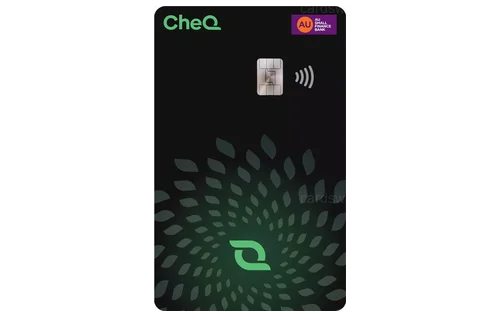
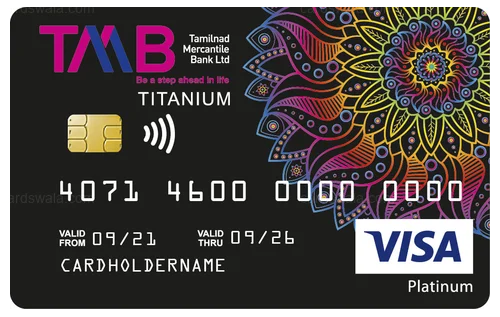
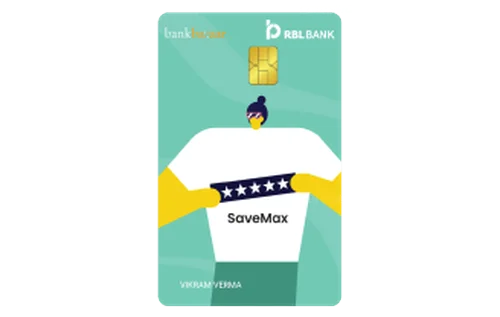
CardsWala Crew
ಕ್ರೆಡಿಟ್ ಕಾರ್ಡ್ ತಜ್ಞ ಮತ್ತು ಹಣಕಾಸು ಬರಹಗಾರ