✈️ Flight Cancelled? Your Simple Guide to Claiming a Full IndiGo Refund (The 'Plan B' Method)
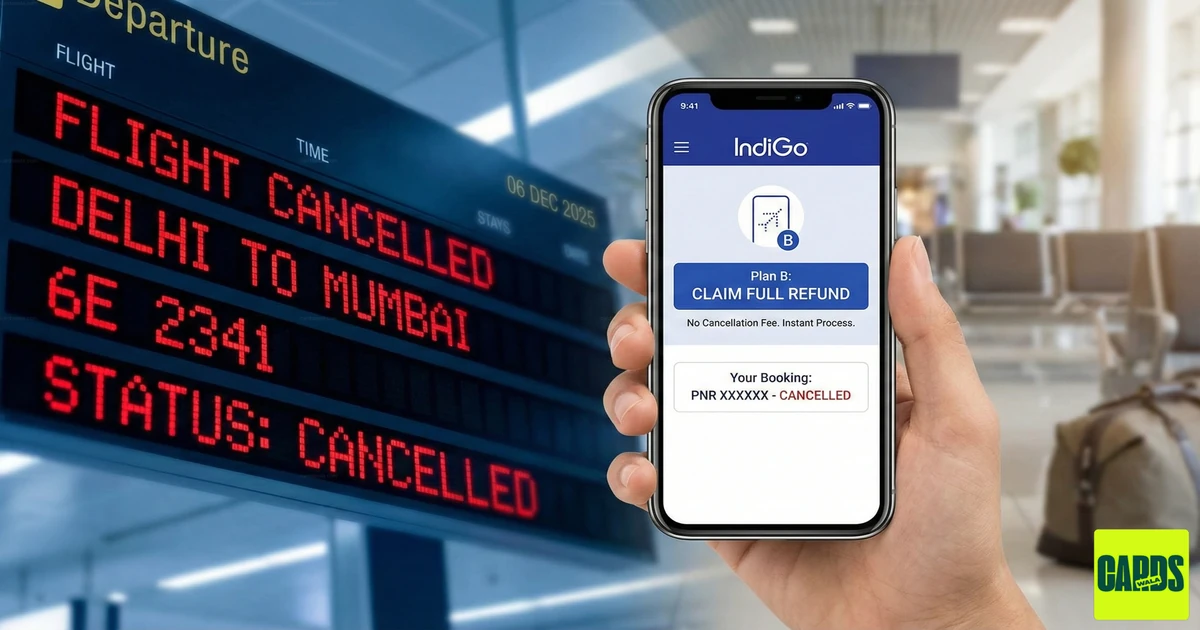
Given the recent operational snags and crew shortages affecting IndiGo's schedule, many travelers are facing cancellations and delays. Don't worry-if the airline cancels your flight, claiming a full refund is your right, and it's thankfully a straightforward process through their official self-service tool, 'Plan B'.
Here is the quick, step-by-step method to secure your money back with zero cancellation fees.
Step 1: Confirm Your Eligibility for Plan B
The airline provides a full waiver on cancellation charges (a 100% refund) if they are the ones disrupting your travel. You are automatically eligible for Plan B if:
- Your flight has been cancelled by IndiGo.
- Your flight timing has been brought forward (advanced) by 1 hour or more.
- Your flight timing has been postponed (delayed) by 2 hours or more.
Pro Tip: IndiGo should notify you via SMS/Email/Call. The notification will often include a direct link to your booking's Plan B portal.
Step 2: Access the Plan B Tool
This is the fastest way to process your request without waiting on a call center.
- Go to the IndiGo Official Website or Mobile App.
- Navigate to the "Manage Booking" section (sometimes listed as "Edit Booking" or simply "Plan B").
- Retrieve Your Itinerary: Enter your PNR (Booking Reference Number) and your Email ID or Last Name.
- If your PNR is eligible, the 'Plan B' options will be prominently displayed.
Step 3: Select the Refund Option
Once you are in the Plan B section, you will be given two main choices:
- Option 1: Reschedule: Change the date and/or time of your flight at no extra cost (subject to seat availability).
- Option 2: Refund: Select the option to "Cancel and Process Refund".
Choose the Refund option. This will initiate the process for a complete refund of your ticket price.
Step 4: Finalize and Track Your Refund
- Confirm Refund Method: The refund should automatically be processed back to your Original Mode of Payment (the credit card, debit card, or bank account used for the original purchase). You may also be offered a Credit Shell (a balance for future booking), but you are entitled to the cash refund.
- Submit: Confirm the details and submit the request. You should receive a confirmation email immediately.
⏱️ How Long Until the Money is Back?
- IndiGo commits to processing the refund within 7 business days from the date of cancellation.
- The final credit time depends on your bank (usually an additional 3-5 working days).
🚨 Crucial Considerations for Non-Cash Bookings
If your ticket wasn't paid for entirely with cash, your refund route has an important extra step:
| Booking Method | Action to Take |
|---|---|
| Through a Travel Agency (MakeMyTrip, Goibibo, etc.) | You must contact the travel agency directly. The refund is credited to the agency's account, and they are responsible for refunding you. |
| Using Air Miles, Loyalty Points, or Co-Branded Credit Card Rewards | While IndiGo will refund the ticket value, you need to confirm how the miles/points are returned. Contact your credit card issuer or the rewards program (e.g., 6E Rewards) to confirm if the points will be reinstated, and what the timeline is for that specific process. Any statutory taxes/fees paid in cash will be refunded to your original payment method. |
🔗 Key Links to Help You
To make the process even quicker, here are the direct links to the relevant IndiGo pages:
| Action | Direct Link |
|---|---|
| Plan B (Reschedule/Full Refund) | IndiGo Plan B Page |
| General Refund & Cancellation Page | IndiGo Refund Process |
| Check Refund Status | IndiGo Check Refund Status |
Can I assist you by finding the contact number for IndiGo customer care, or by looking up the specific PNR rules for miles redemption?
Check Out These Cards
CardsWala Crew
Credit Card Expert & Financial Writer